All your favourite sites, in one calm place.

Feedrico gathers the new articles from the websites, blogs and newsletters you love, and shows them in one tidy list. No ads, no endless scrolling, nobody deciding what you see. Just your reading.

Download for free See how it looks

For Windows, Mac and Linux. No account needed.

The light on this page follows the time of day where you are.

Reading, without the noise.

You choose the sites. Feedrico brings you what’s new, and then gets out of the way.

  • Everything in one place

    News, blogs, newsletters, comics, photo sites: follow them all in one app instead of twenty browser tabs.

  • You decide what you see

    Articles appear newest first, exactly as they were published. Nothing is ranked, recommended or hidden, and there are no ads in between.

  • Works without internet

    Articles and their pictures are saved while you’re online. On a train or a plane, everything is already there.

  • No account, no sign-up

    Download it, add a site, start reading. There is no password to remember and no profile to fill in.

  • Private

    What you read stays on your computer. Nobody can see it, not even us.

  • Free, for good

    No subscription, no paid version, no ads. Feedrico is free software, made in the open.

Reading in two minutes.

  1. Download Feedrico

    It’s free, and there is nothing to sign up for. Get it for your computer.

  2. Add the sites you like

    Paste the address of a website and Feedrico finds its articles. Already use another reader? Bring all your sites over in one go.

  3. Read

    New articles show up by themselves. Star the ones you want to keep, and enjoy the rest at your own pace.

One window, four ways to read.

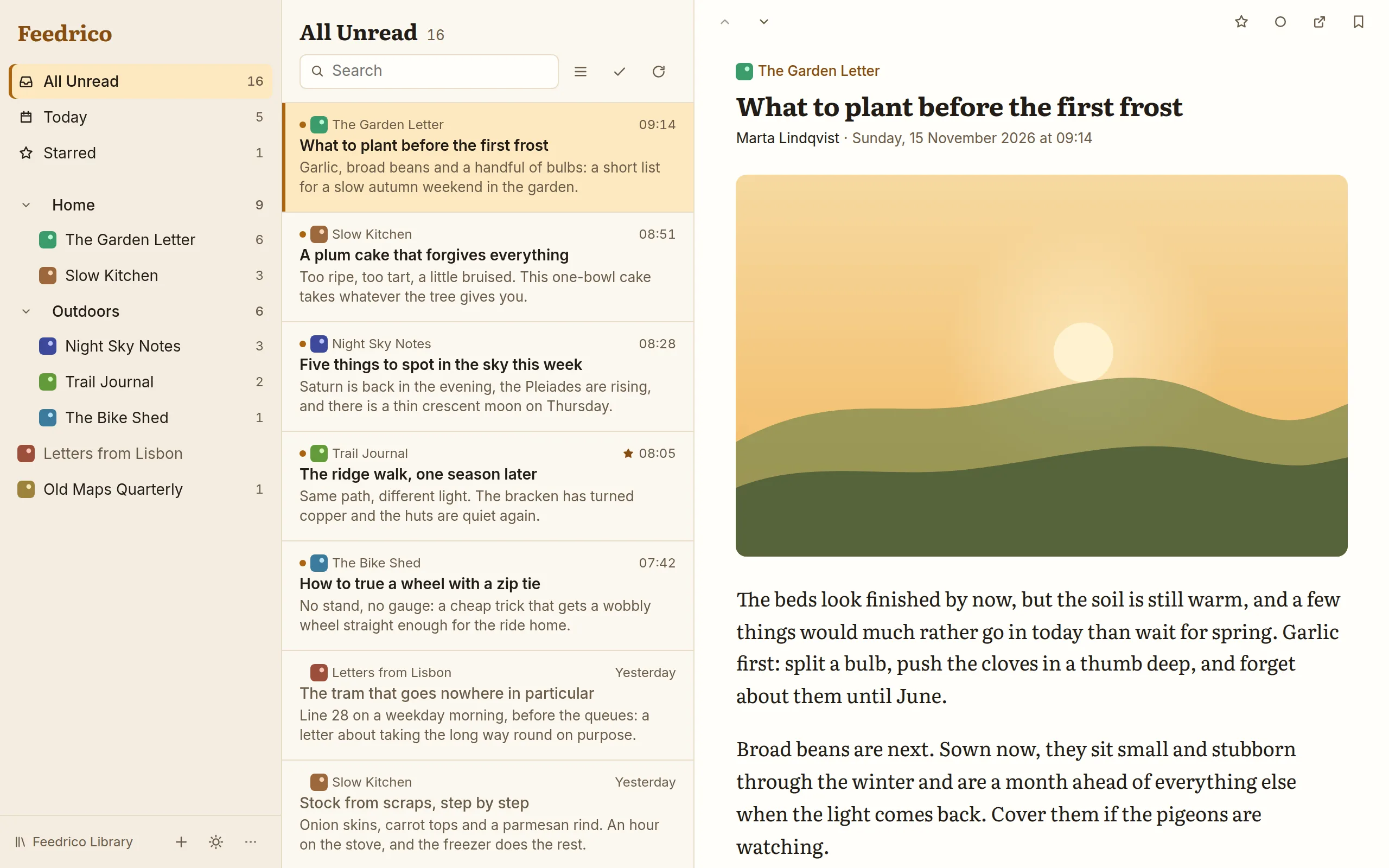
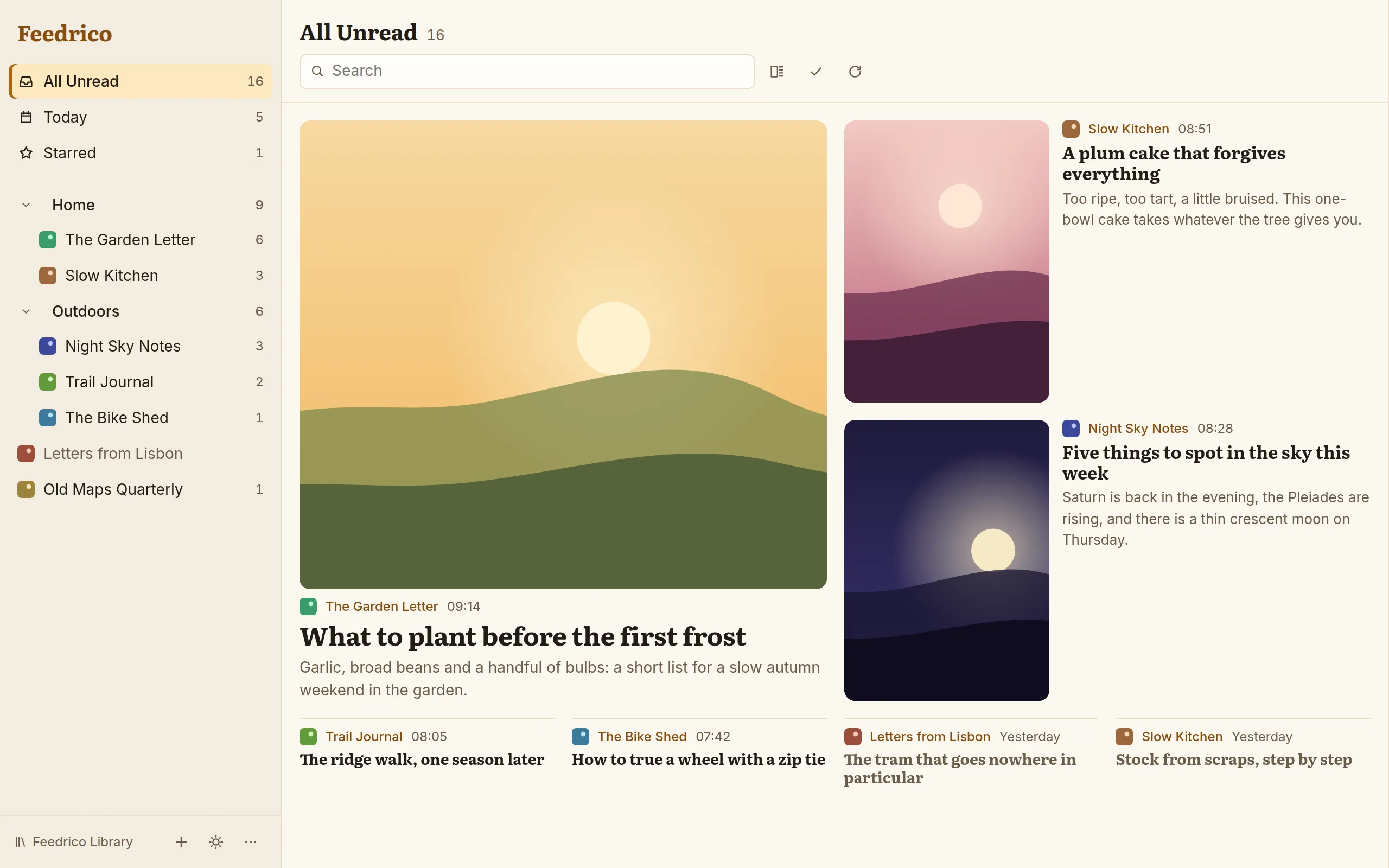
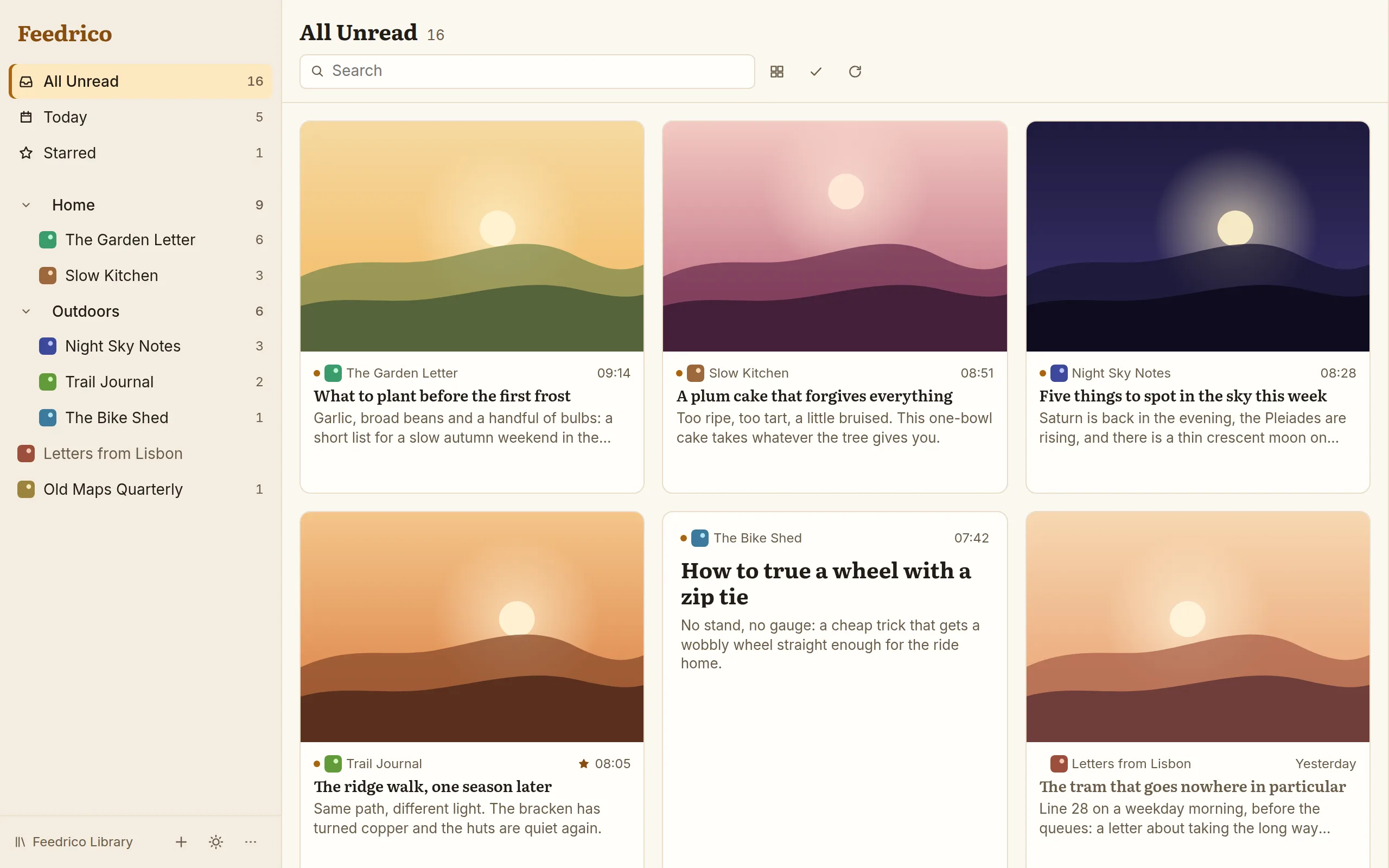
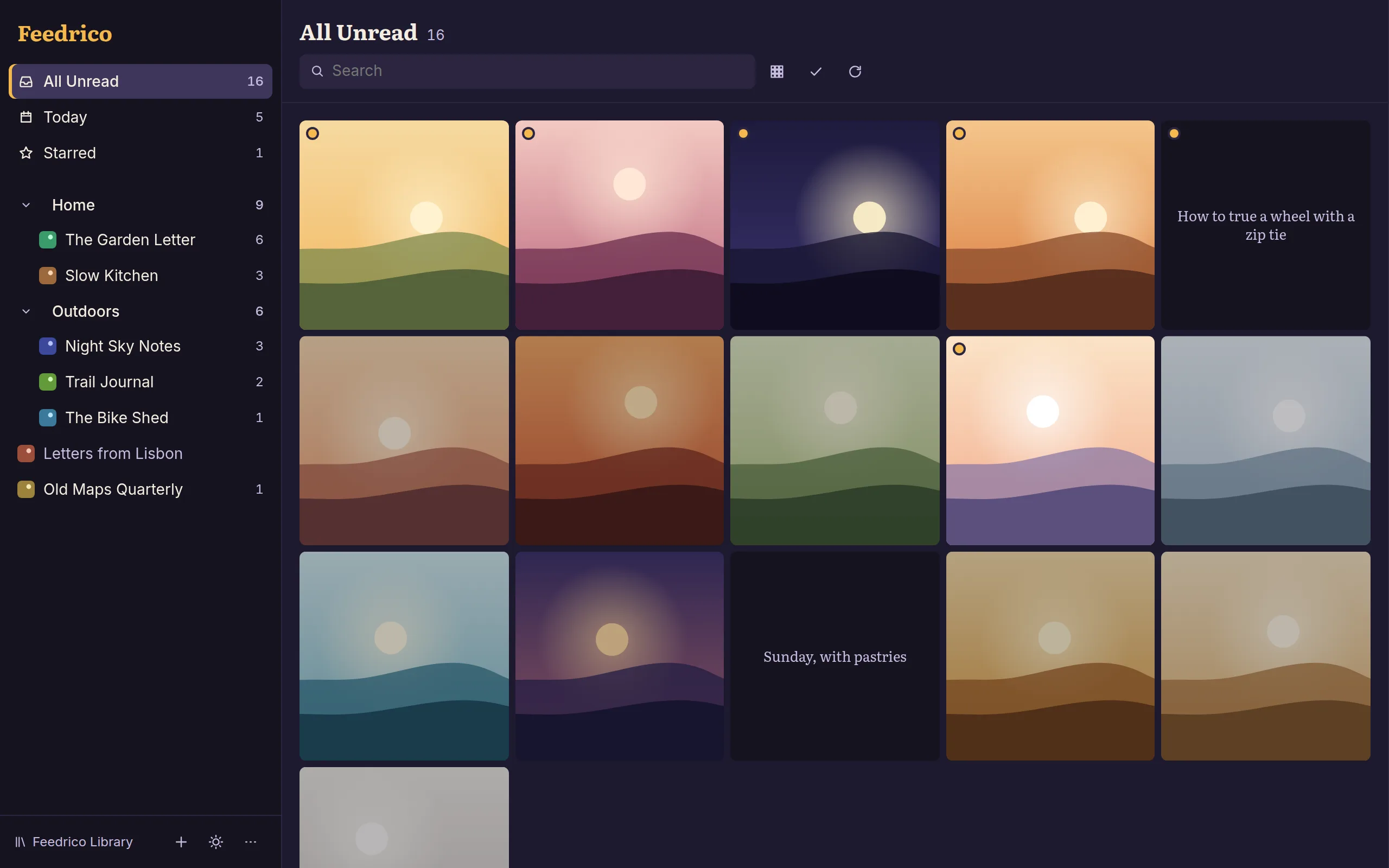
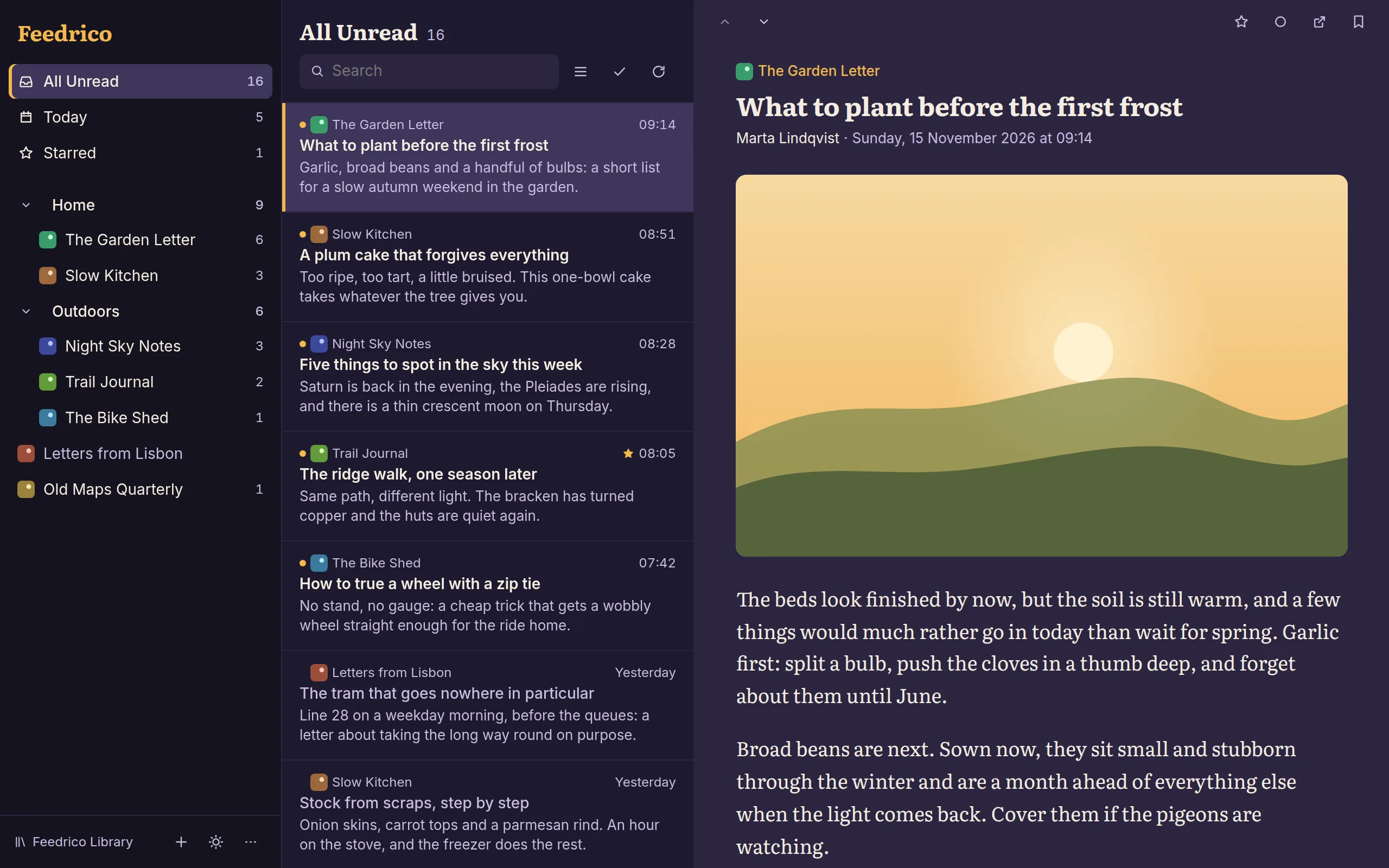
Your sites on the left, new articles in the middle, the one you’re reading on the right. Pick the look that suits the moment: a quick List for the news, Cards or Magazine for a slow morning, Gallery for photos. Try them below.

Layout of the window
A preview of Feedrico with example sites, in the List layout.

A closer look.

These are pictures of the real app. Click one to see it full size.

Feedrico with the list of sites on the left, new articles in the middle and an article about autumn gardening open on the right.
List: your sites, what’s new, and the article you’re reading, side by side.
Feedrico in the Magazine layout: one large article with a picture, two medium ones beside it and a row of headlines below.
Magazine: the newest article up front, like a front page.
Feedrico in the Cards layout: a grid of articles, each with a picture, a headline and a short summary.
Cards: every article with its picture and a short summary.
Feedrico in the Gallery layout and the dark theme: a grid of square pictures.
Gallery: just the pictures. Made for photo sites and comics.
Feedrico in the dark theme, with the article list and an open article.
Dark theme: easy on the eyes in the evening.

Your reading goes where you go.

Everything lives in one folder on your computer, called your Library: the sites you follow, every article, what you’ve read and starred. Copy it to a USB stick and your reading travels with you.

  1. At home

    All the sites you follow, a few thousand articles and that one essay you starred, in a single folder.

  2. In a pocket

    Copy the folder to a USB stick, like you would copy holiday photos. That’s all there is to it.

  3. On the train

    No signal, and nothing missing. Articles and pictures were saved the last time you were online.

  4. At a friend’s

    Plug the stick in and open Feedrico. Your friend’s computer stays exactly as it was.

  5. As you left it

    The same article, still starred, right where you stopped. Your settings come along too.

What you read is your business.

Feedrico has no account, no ads and no tracking. It connects to the internet for two things only.

The sites you follow
To fetch their new articles and pictures, every half hour while Feedrico is open or whenever you ask.
Updates
Only when you click Check for updates. Feedrico never updates itself behind your back.

That’s all.

Reading an article sends nothing anywhere, so no website learns what you opened or how long you stayed. We don’t collect statistics either: we couldn’t tell you how many people use Feedrico if we wanted to.

Good questions.

What does Feedrico do?
It collects new articles from the websites, blogs and newsletters you choose and shows them in one tidy list, newest first. Apps like this are called RSS readers or feed readers. You pick the sites; nothing else gets in.
Is it really free?
Yes. Feedrico is free to download and use on Windows, Mac and Linux. There are no ads, no subscription and no paid version.
Do I need an account?
No. There is nothing to sign up for. Download Feedrico, add a site you like, and start reading.
How do I add a site?
Paste the address of a website you like, and Feedrico finds its articles. Coming from another reader? Import the file it exports (an OPML file) and all your sites move over at once.
Does it work without internet?
Yes. Feedrico saves articles and their pictures whenever it is online, so you can keep reading on a train or a plane.
Can I use it on more than one computer?
Yes. Everything is kept in one folder called your Library. Copy that folder to a USB stick or another computer and your reading comes with you. Feedrico does not sync by itself, because it has no servers.
Does Feedrico track what I read?
No. Feedrico connects only to the sites you follow to fetch new articles, and to GitHub when you ask it to check for updates. Nobody, including us, can see what you read.
I read a lot. Is it fast?
Yes. Twenty sites or two thousand, the list stays smooth and search covers every article. There are keyboard shortcuts for everything, if you like those.

Download Feedrico.

Free, with no account and no ads. Pick your computer:

The downloads are on GitHub, where Feedrico is made. On that page, choose the file for your computer: setup.exe for Windows, .dmg for Mac, .AppImage or .deb for Linux.